














Trends in Micro-Interactions and Animation in UI UX Design


By Yamik Suthar
Head of Design and Web Development

Published
June 24, 2024
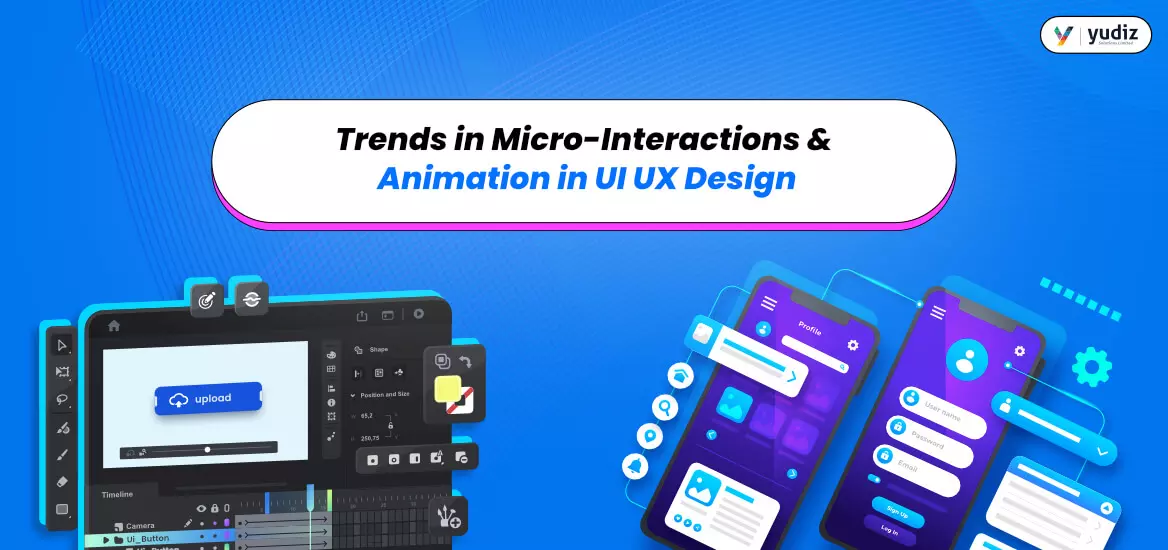
First things first! The like button that changes color and the pull to refresh feature are our favorites, amongst the UI UX design trends, which is yours? Apps have their unique ways of keeping fascinating the users, all thanks to the UI UX design. It’s the features integrated into the design that make the user interaction seamless and creamy smooth. And, that right there is the secret sauce. See it is a fact that each app has its own ‘Stand apart’ feature. Having said that it is not just about enticing the users there’s a lot that it entails besides that. Of course, user satisfaction leads to accelerated engagement. But these interactive micro-interactions, the animation, and multiple trends on this front will help you bag in more perks than those. Also, this is what you need to top the charts of ‘Best App’ or ‘The Most Loved App’. So, let us quickly give you a run-down on those magical trends.
How Do Micro-Interactions and Animations Improve UI/UX Design?
Turning wanderers into loyal users is the core purpose of UI UX design. Now, this has a dual-core cluster which means it has to be visually stunning to capture the view in a hot minute. Plus, the functional slide makes the user journey easy, seamless, fun, and at the same time a little unique. And, to fix it all in one go there’s this fix. Yes, we are talking about UI UX design with micro-interactions and animations.
Well, yes animation in UI UX design, and it is not just restricted to Disney movies. More so animation in UI is not just a BIG YES but an even bigger pie to hog on. So, let’s deconstruct this magical duo that does wonders on multiple fronts for your business.
Micro-interaction in UI Design: The functional elements that add that dollop of swiftness in reacting to the user’s actions on the app.
Micro Animation in UI UX Design: It takes care of the visually pleasing front. Where the visual feedback and the aesthetic appeal are looked into.
However, both of these magnanimously magical elements help to make the user journey as dynamically smooth and gliding as possible. So, no animations are just for movies, and micro-interactions that instantly validate the user’s actions are a big boon. Micro-interaction in UX design is more like a secret genie that helps you to visually as well as functionally win over your users. Now, this could be any drag and drop, the toggle button, or even the heart button filling up when a user hits alike. However, these were some micro-interaction UX examples. Or even a spinner, a hover, or an interactive carousel.
But, but, but to micro-interaction in UI UX strategy you of course need some dedicated support and expert assistance. However, before that, you need to be well-versed with the trends to actually figure out the strands of the successful business you need. Also, of course professional UI UX designers. And, for a quick rundown of trends quickly skim down the section below.
Which UI/UX Design Trends Are Shaping Digital Experiences?
Mentioning the roles of these two immensely important aspects is a no-brainer. However, when it comes to core purpose these run to deliver a common goal. That, of course, goes without saying user engagement, seamless user interaction, and winning the hearts of the users. But, whether is micro-interaction in UI design or animation. You need a team of professionals to get it integrated into your app/website with accuracy and finesse.
Having said that, it is something that comes secondary you initially need to have a clear idea of what the trends are tilting towards. Because this will help you to reach your business goals with all those metrics working for you. In toto, micro-interactions in UI UX design is a golden nest.
Trend 1: How Do Functional Animations Improve User Engagement and Navigation?
If you ever thought animations in UI UX design are merely to serve the aesthetic and visually appealing vibes then you are living under a rock. Because when we said these aspects are a boon we meant it. Functional animations whole servicing visually appealing, and aesthetically pleasing they work as a visual guide for your users. This means that the loading sign indicates that the request is being worked upon. Even certain buttons emphasizing a particular aspect help the users to skim through the information and make the user journey interactive and intuitive.
Trend 2: How Are Voice and Gesture Interfaces Transforming User Interactions?
When it comes to making the user journey as seamless as possible there is no bar at taking that extra mile. We say this because merely tap and touch buttons don’t cut much. More like it’s so last season. It’s about time you get into intuitive and interactive features like voice and gesture-controlled features on the app/website. This is because, at the end of the day, the entire trajectory revolves around making the user journey as seamless as possible. Which again is possible via micro-interactions in modern ui ux design.
Trend 3: How Do Contextual Micro-Interactions Enhance User Experiences?
This more or less sums up offering personalized, real-time assistance and feedback to the users in the form of UI UX design. On the other hand, contextual micro-interactions will also help to drive and influence user actions while making their journey on the app/website easier. With that let us also tell you that it would include features like real-time validation password strengths etc.
Trend 4: How Is Conversational UI Changing the Way Users Interact with Digital Products?
Chatbots and the voice user interface are a big-time serendipity and seem like a dream come true. At times the design and content can become a little overwhelming but that is where conversational UI also known as CUI comes to show. Like virtual assistants, automation instead of click-throughs, etc.
Trend 5: Why Does Dark Mode Continue to Be a Popular UI/UX Design Trend?
Well, here comes your visually appealing and aesthetically pleasing layout on the bedrock ui ux design trend. Liked by many and dynamically taken by a number of businesses the switch from light mode to dark mode has been monumental. Right from getting the battery savings on point, to lowering fatigue there are only perks and boons that dark mode brings in.
Trend 6: What Is Neuromorphic Design and Why Is It Gaining Popularity?
When it comes to UI IX design you cannot not tap into the user shoe. You need to get the psychological hacks straight and get into the nitty-gritty of what actually works. Neuromorphism is a UI UX design trend that gets visually convincing designs but with a twist. This means the design holds a twist where in a good mix of highlights, rounded edges, etc. In short, this is to hit the users and convince them by adapting the psychological attributes.
It is a fact that. there is just a fraction of a second by your side to convince your target audience and potential clients. So, to hit multiple aspects in one go you need a top UI UX designers company. However, for that all you need to do is put chips on them.
Read: Most Important Features of a Successful Fantasy Sports App
What Do These UI/UX Design Trends Mean for Businesses and Designers?
When it comes to getting the best UI UX design there are certain non-negotiables that you need to stick by. Yes, you guessed it right we are talking about the trends that we just mentioned above. However, the same is possible with potential and required experience in UI UX design. But, there is taking a raincheck on multifariously beneficial trends. So, let’s get you winning the user base in the most modern way.
UI/UX Design FAQs
Frequently Asked Questions
Explore how micro-interactions, animations, conversational interfaces, accessibility, and emerging design trends create more engaging, intuitive, and user-centered digital experiences.
What Are Micro-Interactions in UI/UX Design?
Micro-interactions are small, functional design elements that respond to user actions and provide immediate feedback. Examples include button animations, swipe effects, loading indicators, notifications, and progress bars. They help users understand what is happening within an interface and make interactions feel more intuitive.
Why Are Micro-Interactions Important for User Experience?
Micro-interactions improve usability by guiding users, providing feedback, reducing uncertainty, and making interfaces more engaging. When implemented effectively, they enhance the overall user experience and contribute to higher user satisfaction.
How Do Animations Improve UI/UX Design?
Animations create smoother transitions between screens, highlight important actions, communicate system status, and make digital experiences more engaging. Well-designed animations help users navigate interfaces more naturally while improving visual appeal.
What Is the Difference Between Micro-Interactions and Animations?
Micro-interactions are specific responses to user actions, such as liking a post or toggling a setting. Animations are broader visual movements used throughout an interface to enhance navigation, storytelling, and user engagement. Micro-interactions often use animations as part of their functionality.
What Are Some Common Examples of Micro-Interactions?
Common examples include button hover effects, swipe gestures, loading animations, pull-to-refresh actions, notification alerts, form validation messages, progress indicators, and interactive onboarding experiences.
How Do Functional Animations Enhance User Engagement?
Functional animations help users understand interface behavior by visually connecting actions with outcomes. They can guide attention, indicate successful actions, reduce confusion, and create a more enjoyable user journey.
How Does Conversational UI Improve User Experience?
Conversational UI allows users to interact with digital products through natural language using chatbots, virtual assistants, and voice interfaces. This creates a more intuitive and personalized experience while simplifying complex tasks.
Why Are Voice and Gesture Interfaces Becoming Popular?
Voice and gesture-based interactions offer hands-free and intuitive ways to engage with applications. They improve accessibility, support multitasking, and create more immersive digital experiences across mobile apps, smart devices, and emerging technologies.
What Is Contextual Micro-Interaction Design?
Contextual micro-interactions adapt to user behavior, preferences, or specific situations. These interactions provide relevant feedback or actions based on the user’s context, helping create more personalized and efficient experiences.
Why Is Dark Mode an Important UI/UX Design Trend?
Dark mode reduces screen brightness, improves readability in low-light environments, and can help reduce eye strain for some users. Many users also prefer dark interfaces for their modern appearance and potential battery-saving benefits on OLED displays.
What Is Neuromorphic Design in UI/UX?
Neuromorphic design is a visual design approach that uses soft shadows, subtle highlights, and depth effects to create interfaces that resemble physical objects. It combines realism with minimalism to create aesthetically pleasing and interactive user experiences.
How Do Micro-Interactions Affect User Retention?
Thoughtfully designed micro-interactions make applications more intuitive, enjoyable, and engaging. By improving usability and creating positive user experiences, they can contribute to increased user retention and customer satisfaction.
Can Micro-Interactions Improve Conversion Rates?
Yes. Micro-interactions can guide users through important actions such as registrations, purchases, and form submissions. Clear visual feedback and intuitive interactions help reduce friction and encourage users to complete desired actions.
What Are the Latest Trends in UI/UX Design?
Some of the most prominent UI/UX trends include functional animations, contextual micro-interactions, conversational interfaces, voice and gesture controls, dark mode, neuromorphic design, AI-powered personalization, and accessibility-focused design practices.
How Can Businesses Use Micro-Interactions to Improve Digital Experiences?
Businesses can use micro-interactions to enhance navigation, provide real-time feedback, improve onboarding experiences, simplify user journeys, increase engagement, and strengthen brand perception across websites and applications.
Unleash True Creativity
You may also like